

Try the Demo
How an Aviator Round Progresses from Bet Acceptance to Fly-Away

An Aviator round starts before the aircraft moves. During the betting window, the player selects a stake and sends the Bet command. Both must be accepted before that short window closes. Once the round starts, nobody can join that already active flight, so a late tap cannot be converted into a valid position after the cutoff.
After takeoff, the displayed Aviator multiplier rises. The possible settlement is calculated as stake × displayed multiplier at the accepted exit point. A $5 position accepted at x2.20 therefore settles at $11. That example only shows the arithmetic; it does not describe a target that is more likely to occur. Two endings are possible. If the server accepts the Aviator Cash Out request before fly-away, the resulting amount is settled. If fly-away is recorded first, the still-open position closes without a payout.
Latency matters because the visual tap on a device is not the final authority. A user may press Cash Out while a multiplier is still visible locally, yet the request cannot receive that value retroactively if the server timestamp has already recorded fly-away. The player controls the stake and the moment a request is sent, but not the crash point. Chat activity, previous multipliers, other users’ exits and clicking speed do not change the independent RNG or Provably Fair result.
Checking the Spribe Build, Live Activity and Fairness Records
Spribe released Aviator in 2019. In a supported multiplayer build, the interface can show one common multiplier, a list of placed bets, accepted Cash Out actions and a history of completed rounds. Those records create the live context of the Aviator online experience, but they do not prove anything about the next flight. A player checking an Aviator casino game should look for Spribe branding, visible rules, history and the expected game controls rather than relying on copied artwork.
Where a Provably Fair verifier is available, it is used with data from a completed round to check published fairness records. Aviator Provably Fair verification does not reveal the next multiplier and does not validate Aviator predictor software. A copied interface, modified APK, Telegram signal panel or edited demo video is not evidence of a connection to Spribe servers. The loaded provider label and in-game fairness section are stronger checks.
Placing an Aviator Bet and Closing It with Manual Cash Out
The basic process combines a preselected stake, an accepted Bet command and a separate decision about when to close the position. Because the Aviator betting game moves quickly, a player should decide session limits before the first position rather than adjusting them after several fast rounds. The practical route for anyone asking how to play Aviator is fixed. Pre-set limits also reduce impulsive stake changes between fast rounds:
- Sign in to the hosting account.
- Open Crash, Instant Games or Search.
- Find Aviator with the Spribe provider label.
- Wait for a new betting window.
- Set the stake amount.
- Confirm Bet before the betting window closes.
- Press Cash Out before the fly-away.

Once the server accepts the exit, the settled amount appears in the game or account balance, while the completed position and final multiplier remain available in history. This is distinct from two other actions. Cancel, where the loaded interface permits it, concerns a position before the round begins. Cash Out closes an active position during the flight. Withdrawal is a later Cashier request from the account balance and is not part of the Aviator game rules.
If the loaded version provides two bet panels, they are separate positions. Each can have its own stake and exit settings, but both face the same round outcome. The second panel should not be described as insurance because it cannot guarantee recovery of the first stake.
Aviator RTP, House Edge and Exposure at Different Targets
| Feature | Confirmed Aviator Detail |
| Provider | Spribe |
| Release | 2019 |
| Game type | Multiplayer Crash |
| RTP | About 97% |
| Theoretical house edge | About 3% |
| Core controls | Bet and Cash Out |
| Auto Cash Out | When displayed in the loaded build |
| Dual Bet | When displayed in the loaded build |
| Minimum / maximum stake | Platform-specific; check loaded rules |
| Fairness | Provably Fair where supported |

The table separates confirmed Aviator game details from settings that may vary by integration. That distinction matters when an Aviator game online page displays its own stake limits or payout cap: those values should come from the loaded rules, not from a general platform limit.
RTP describes long-run mathematical behaviour across aggregate turnover. It is not a promise that one user or one session will return the same percentage. With $10,000 in total wagers, a 97% theoretical model corresponds to about $9,700 returned and about $300 retained as house edge over the long run. A short series can differ sharply.
Cash-out targets change exposure, not the underlying RTP. A target around x1.5 keeps a position active for less of the rising multiplier path than a target around x10, while x10 requires the round to survive more possible early fly-away points. Neither target is guaranteed to settle. Exact Aviator bet limits and any payout cap must be checked in the current rules.
Aviator Demo Sessions for Learning Controls and Timing
Aviator demo and Aviator free play use virtual credits rather than a withdrawable balance. Those credits cannot be deposited into a real-money account, transferred to another user or cashed out through the Cashier. The useful purpose of an Aviator game demo is practical: it lets a player locate Bet and manual Cash Out, check Aviator Auto Cash Out if the loaded version offers it, observe the pre-round window and compare one or two betting panels without confusing interface practice with future prediction.
A demo session can also be used to open history, check whether the multiplier and controls remain readable on a smaller screen and notice personal habits. For example, a fixed set of 100 rounds can be logged to see whether a player starts moving the chosen target after losses or placing a second position without considering total exposure. The number is only a discipline exercise, not a statistical forecast.
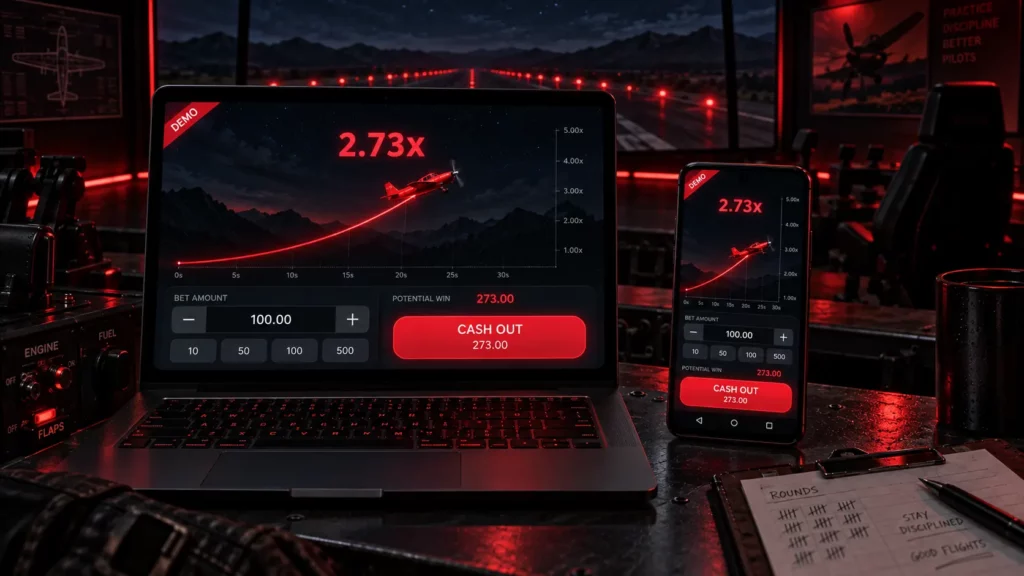
The Aviator algorithm does not owe the player a high multiplier after a run of low results. An Aviator demo sequence does not create a mandatory future outcome, and virtual-credit rounds do not reveal the next Aviator real money result. Demo play teaches controls and timing. It does not decode the next round.
Auto Cash Out, Two Bet Panels and the Multiplayer Feed
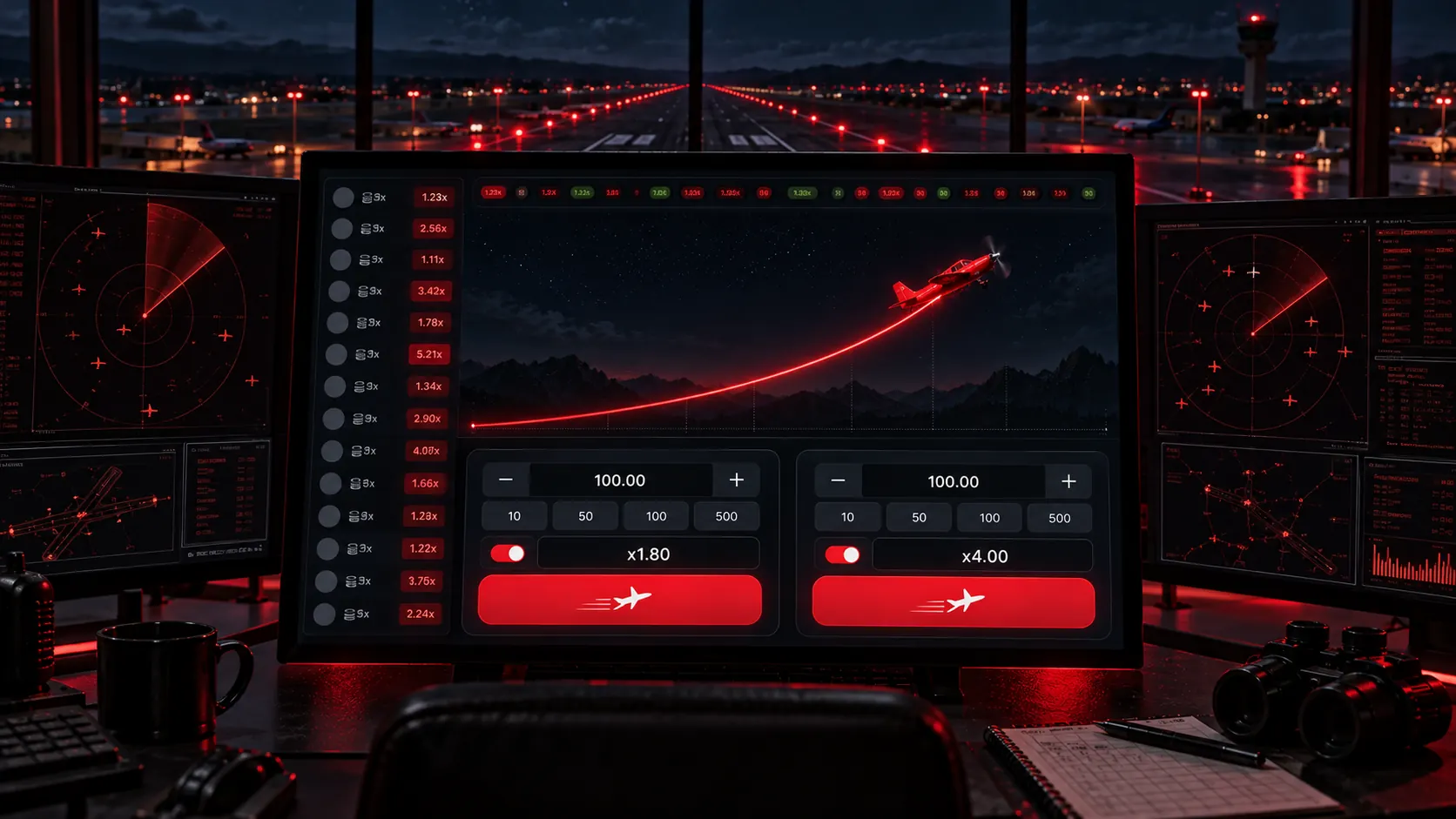
Aviator Auto Cash Out, when displayed, allows a target multiplier to be set before the round starts. Suppose the first position has an automatic target of x1.80. If the multiplier reaches x1.80 and the automated command is accepted, that position closes at the configured level. If a separate second panel is available, it could instead be set to x4.00. The setting does not make x1.80 or x4.00 more likely; it only defines what the interface should request if that point is reached.
Two bet panels change total exposure because each panel is an independent stake attached to the same crash point. If one panel carries $2 and the other carries $2, the round begins with $4 exposed, not $2. Each panel can have different manual or automatic exit settings, but a fly-away before both targets can close both open positions without a payout. Calling one panel insurance would therefore misstate the mechanic.
The multiplayer feed and history serve another purpose. They can show placed bets, accepted exits and completed multipliers from the Aviator live game environment, helping a player confirm what has already happened. They do not influence the aircraft. A cluster of early Cash Out decisions by other users does not push the next multiplier higher or lower, and previous results are not signals.
If a connection interruption or display problem occurs, the first checks are the settled status, account balance and round history. Where the record remains unclear, the player can send the relevant round ID to support for review. Automatic compensation should not be expected unless the applicable Terms expressly provide it. The same rule applies to any claim that a faster device receives priority: settlement depends on accepted commands and the recorded round state, not on marketing claims about hardware. This keeps the distinction clear between interface behaviour, server settlement and later account support.
Aviator Bankroll Plans and Predictor Scam Indicators
An Aviator strategy can control stake size and session exposure, but it cannot create positive expected profit or alter the crash point. Different target ranges mainly change how long a position must remain open before it can settle:
- Targets x1.5–x2. These levels require less multiplier growth and therefore expose the position to fewer possible early fly-away points than higher targets. The possible return is smaller, so the stake should still remain modest rather than increasing because the target feels conservative.
- Targets x3–x5. The potential payout is higher, but the round must continue longer before the exit can be accepted. Relative stake size should usually fall as the chosen target and session variance rise.
- Targets x10+. These targets offer much larger possible multipliers but fail whenever the round ends earlier. A player using them should keep the stake small relative to the session budget because repeated misses can reduce the balance quickly.

A practical exposure reference is 1–2% of the session budget for one position. On a $100 budget, that means $1–$2. Two panels at $2 each create $4 of total round exposure, so the percentage should be calculated across both positions rather than per button in isolation. A loss cap, time cap and round-count limit are also useful, and increasing stakes to chase a previous loss breaks those limits rather than repairing the earlier result.
Predictor claims deserve a separate check. Common warning signs include:
- claims of 80–90% accuracy for future Aviator multipliers;
- paid Aviator signals or subscription groups;
- a modified Aviator hack APK or tool;
- requests for a password, 2FA code or recovery key;
- edited screenshots that show only winning rounds and omit verifiable records.
These patterns do not overcome the game model. Aviator RNG or Provably Fair records concern independent rounds, and the gambler’s fallacy remains a mistake: several low multipliers do not make a high one due next.
From a Settled Aviator Cash Out to a Withdrawal Request

A settled Cash Out and an Aviator withdrawal are two separate events. The in-game action closes an accepted position and moves the settled amount to the game or account balance. Only after that can the account holder open the Cashier, choose an available payment channel and create a withdrawal request. That later request may be subject to identity and payment-ownership review.
| Method | Direction | Confirmed Range |
| Visa, Mastercard, Apple Pay | Deposit | $5–$30,000 per day |
| USDT TRC20/ERC20, USDC ERC20, BTC, ETH, LTC, DOGE | Deposit | $1–$100,000 per day |
| Bank Transfer | Withdrawal | $100–$100,000 per day |
| Digital assets | Withdrawal | $20–$200,000 per transaction |
| Visa / Mastercard | Withdrawal | $20–$10,000 |
These are confirmed account-level ranges, not a promise that every method appears for every user. The current Cashier determines availability and may reflect GEO or account status. No processing time or fee should be inferred from the table. Before submitting a request, the account holder should also check that the selected method belongs to the verified profile and that any requested ownership evidence is supplied through the protected account route.
KYC is mandatory for the account process described in the supplied terms, and real-money access is limited to adults aged 18 or older. Optional 2FA can add a second account-protection step. Card handling uses 3D Secure, while payment processing is described as PCI DSS compliant. Those controls protect the account and payment route; they do not change Aviator game money results. A player should never give a full password, one-time authenticator code or recovery key to an Aviator predictor seller or an unofficial support contact.
Aviator Review Questions about RTP, Demo and Withdrawals
The original Aviator game is a Spribe multiplayer crash title released in 2019. Provider branding, visible rules, round history and available fairness records help confirm the loaded build; they do not establish gambling legality in every country.
The Aviator RTP is about 97%, with a theoretical house edge of about 3% over large aggregate play. A short session can finish far above or below that long-run figure.
No verified Aviator predictor is supported by the supplied mechanics. A fairness verifier checks completed data where available, while Aviator signals, predictor APKs and paid forecast groups do not reveal the future crash point.
Aviator demo mode helps a player learn the betting window, Cash Out controls, optional automation, history and mobile layout with virtual credits. The sequence does not predict the next real-money round.
A successful Cash Out first settles to the game or account balance. The user then opens the Cashier and submits an available withdrawal request, which can require KYC or payment-ownership review.
Real-money Aviator play can lead to the loss of deposited funds. RNG and Provably Fair mechanisms do not make future rounds predictable, and no Aviator strategy, bot, Aviator signals service or betting pattern guarantees profit. Deposit, loss and session limits should be set before play, with cool-off or self-exclusion used when control weakens. Participation is restricted to adults aged 18 or older, and each player must independently check whether online gambling is legal in the relevant jurisdiction.